FILMING & TRAVEL POWER / MY GEAR
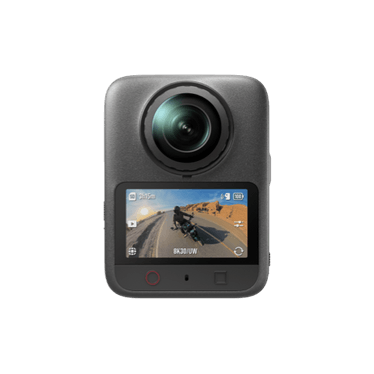
DJI Osmo 360 II for skiing
The camera to reach for when I want to choose the angle after the run.
Why shoot in 360?
The useful thing is being able to reframe after skiing. You can follow the line ahead, turn the view back to the skier or pull out to show where the run sits in the mountain. I’d use it where that freedom is worth the extra step in the edit. A plain viewpoint can still be the better choice when you know what you want to show.
How I’d shoot for the edit
Think about where the stitch line is in relation to the most important part of the shot. Keep snow off both lenses and give the lenses room when you set the camera down. I’d check one test run on a bigger screen before filming a whole set. In the edit, choose the frame that tells the story and resist the urge to swing the view around every few seconds.
My on-snow comparison
I talked about using DJI and Insta360 on snow in episode 28. That discussion was about the original Osmo 360, so it’s useful background on the filming method. The 360 II is the camera featured here; the older film is not a 360 II sample.
8K capture and the final view
DJI lists native 8K/60fps 360 recording for the 360 II. That resolution covers the panorama, rather than making every cropped direction an 8K picture. The tighter you zoom into one part, the less of the original image you are using. That is why I would think about the distance from the skier as well as the resolution setting.
Start with a wider view that shows the line and the mountain, then bring the frame closer only where the detail helps. A smooth, deliberate change of view is easier to follow than constantly spinning the camera around just because the software allows it.
Protect the lenses and plan the files
The current DJI description includes replaceable lenses and 105GB of built-in storage. Those are useful practical details for a camera that spends time around snow and travel bags, but the lenses still need care. Snow or a mark on either side can affect a view you only decide to use later. Check both sides before the run.
Keep the original 360 files as well as the finished edit if you want to revisit the shot. A flat export has already committed to its chosen viewpoint. I would organise the original files by trip and day so a later vertical edit does not mean hunting through an entire season. The older podcast linked below explains my approach to 360 filming; it is clearly identified as an earlier camera discussion.